
Gmail Attachment Downloader
Download Gmail attachments from many emails — in one click.
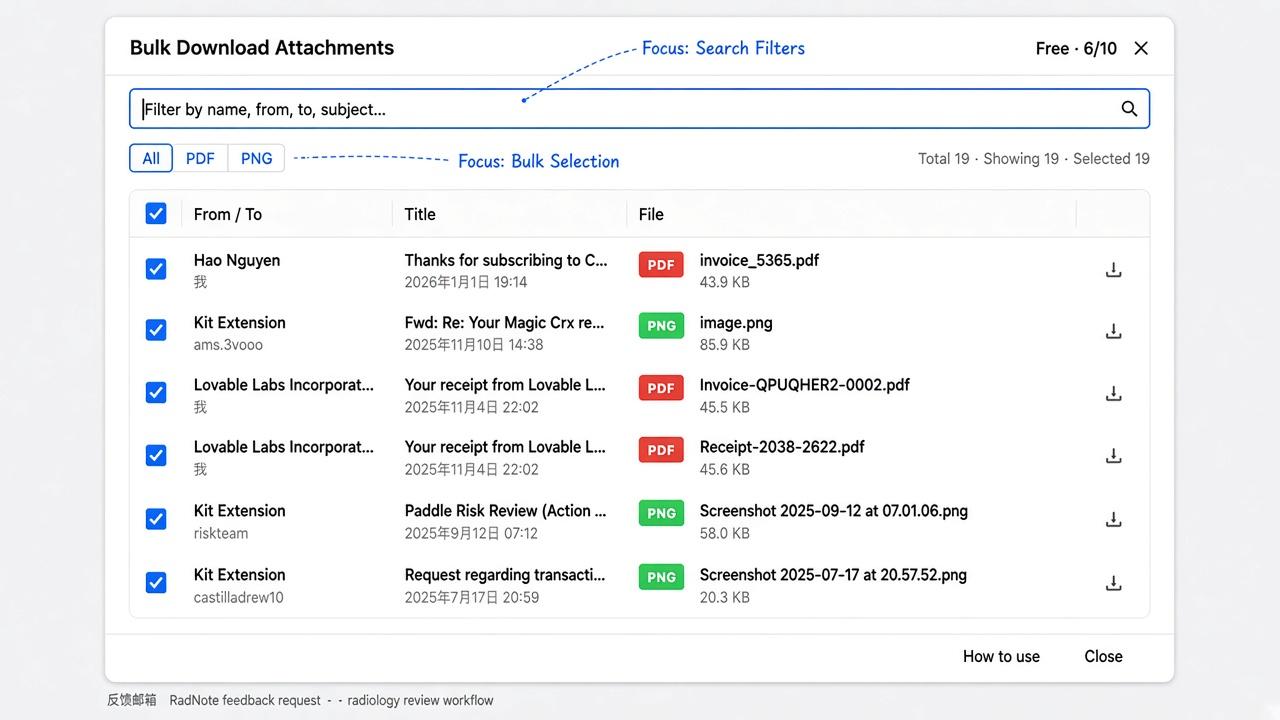
Select emails in your Gmail list, review attachments, and save them to your computer. Runs locally in your browser — no mailbox OAuth.
- Works on the Gmail list
- Select before download
- Local only
MVP: downloads files one by one to your computer. ZIP packaging and cloud sync are on the roadmap — not claimed here.
How it works
Three steps that match the real extension flow — start from a list, not an opened email.
- 1
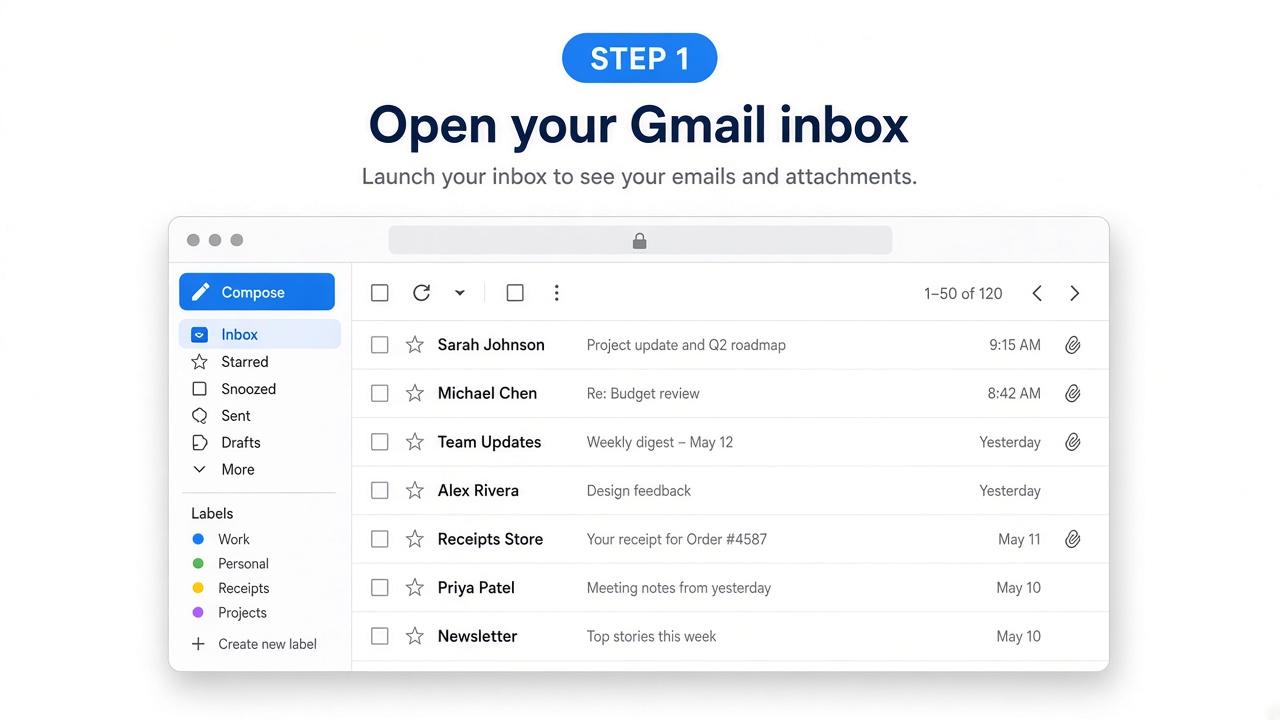
Open Gmail
Stay on an inbox, label, or search list that shows attachment chips.
- 2
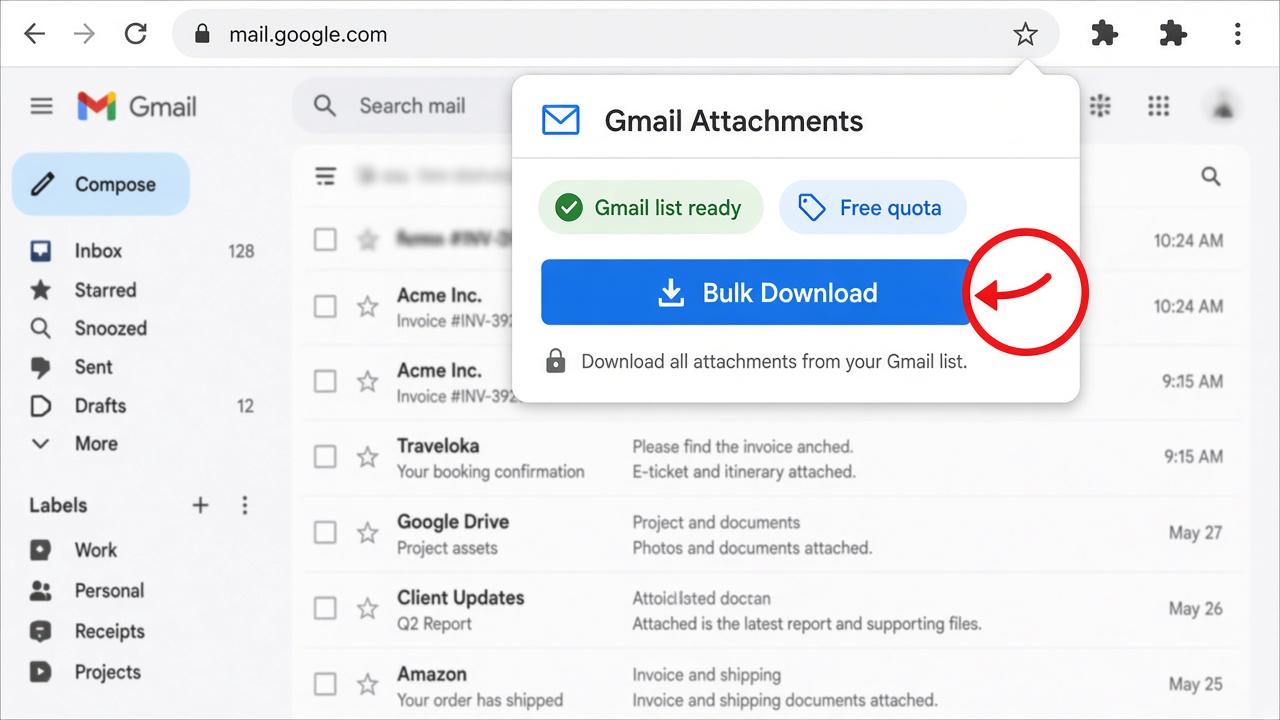
Bulk Download
Open the extension, scan the current list page, and review the attachment table.
- 3
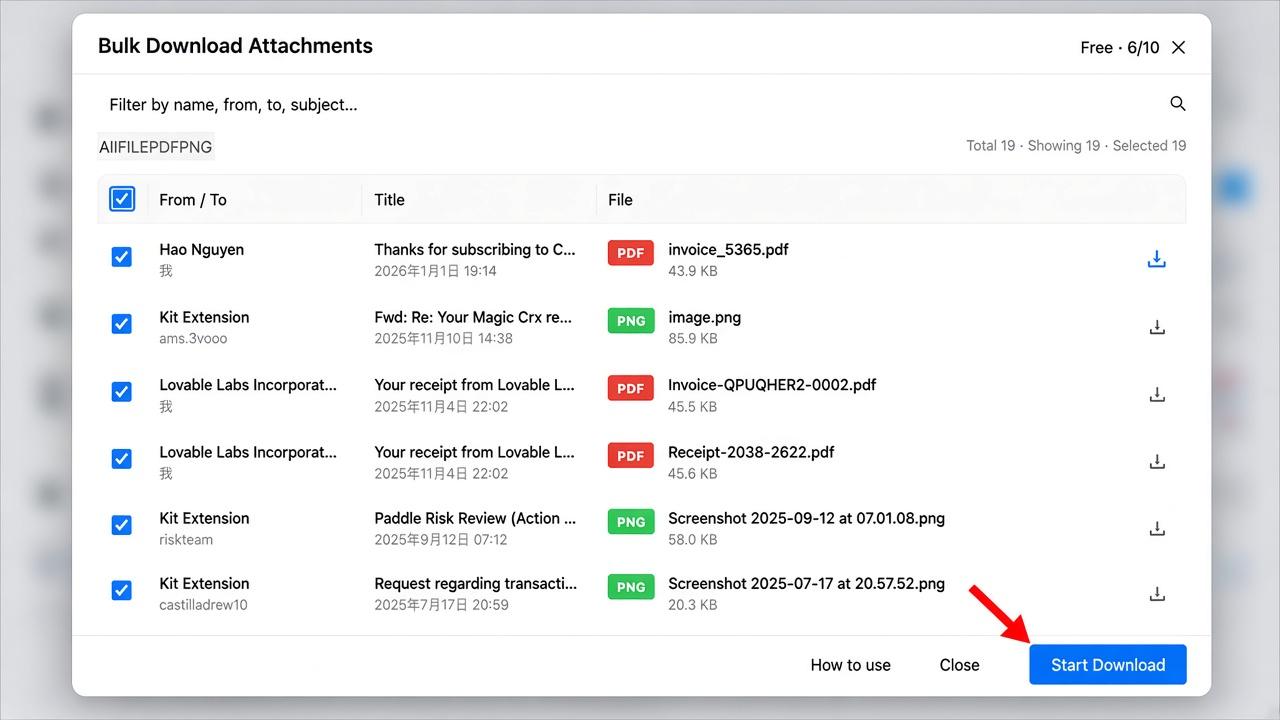
Save locally
Filter, uncheck what you do not need, then start download to your disk.
See the flow
List → Bulk Download → Filter → Download
Without vs with
Without extension
- Open each email
- Click each attachment
- Easy to miss a file across dozens of threads
With this extension
- Scan the current list page
- One review table, then download
- No Google consent screen for Gmail API mail scopes
Typical OAuth tools ask you to grant mailbox API access. We work with the Gmail tab you already opened. Security & permissions
Attachment bytes stay on your device
Core download does not pipe file contents through our servers. Optional account is only for quota/upgrade — separate from mailbox OAuth.
FAQ
Do I need to sign in with Google?+
No for core download. The extension uses the Gmail tab you already have open. Optional sign-in is only for trial/Pro membership, not Gmail API access.
Where do files go?+
Your computer’s download folder (Chrome download settings). Attachment bytes are not uploaded to our servers for the download path.
Why so many save dialogs?+
Chrome may ask where to save each file. Turn off “Ask where to save each file before downloading” in Chrome settings. See quickstart.
List page or opened email?+
Start from a Gmail mail list (inbox, label, or search results). The extension opens threads briefly to collect attachments, then returns. Bulk download from an already-opened detail view is not supported.
Is there a free limit?+
Free: up to 10 unique attachments per day. Sign in for a 3-day trial with full features (unlimited downloads). Pro is $5.99/month for unlimited after the trial.
ZIP, Drive, or print?+
Not in the current MVP. Local one-by-one download, filters, and selection are available today. Cloud sync and packaging are on the roadmap — not claimed here.
Google Workspace?+
Works if you can open Gmail in desktop Chrome with the same list UI.
Learn more
Guides that match how people search.
How to Find Large Attachments in Gmail (has:attachment & larger:)
Use Gmail search operators like has:attachment and larger:10M to surface big files — then bulk download from the list without opening every thread.
Read guide →How to Download All Attachments from Gmail (2026)
Compare Gmail built-in download, Takeout, OAuth tools, and a local Chrome extension for bulk attachment download from multiple emails.
Read guide →Gmail Attachment Downloader: Best Options Compared (2026)
What to look for in a Gmail attachment downloader — OAuth vs open-tab, list bulk vs detail-only, local vs cloud — and where this extension fits.
Read guide →